Case study · ART 483A · Digital Forest
Can one website work for everyone who visits it?
A clean-energy site I designed from scratch with atomic design, built around one menu that lets each visitor adapt it to how they see and read.
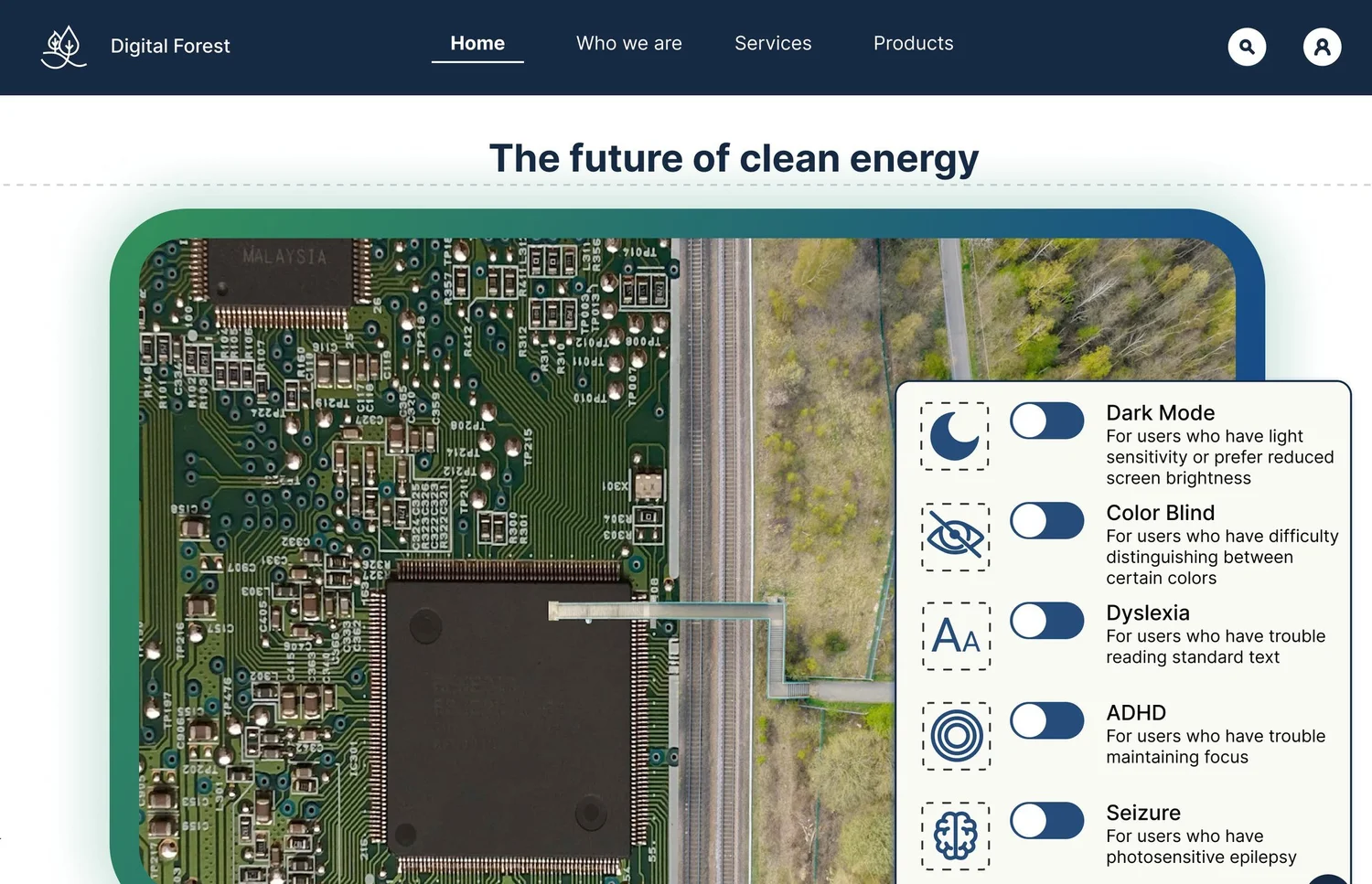
low light, color vision, dyslexia, ADHD and epilepsy. Could one site serve them all?
The problem ↓ What I did6 modesfrom one component system, switched by a single accessibility menu.
The process ↓ What happened1 live buildafter the class ended, so the menu works on a real page.
The outcome ↓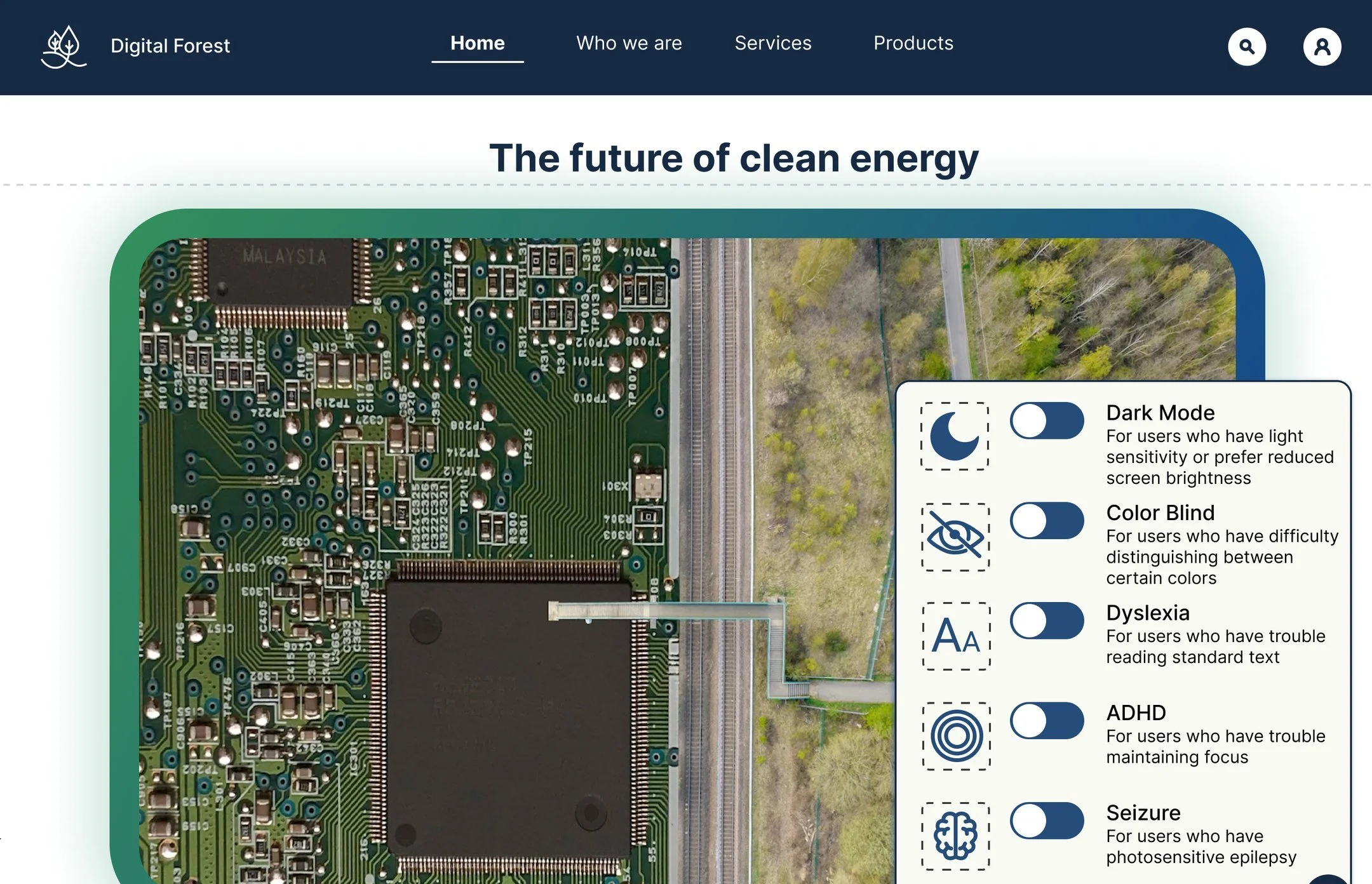
01 · The problem
Who gets left out of a clean-energy website? Anyone who can’t adjust it.
ART 483A asked for a website built from scratch with atomic design. I set a harder goal: it should work for every visitor, whatever their ability.
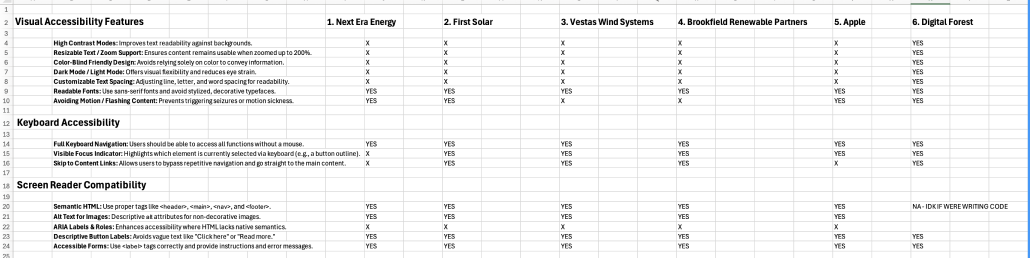
sites I audited, four energy leaders plus Apple, gave visitors a way to change how the site looks or reads. A few quietly follow device settings. None hand the visitor a control.
| Controls a visitor can use | Digital Forest | NextEra | First Solar | Vestas | Brookfield | Apple |
|---|---|---|---|---|---|---|
| On-page accessibility menu | ✓ | ✗ | ✗ | ✗ | ✗ | ✗ |
| Dark mode | ✓ | ✗ | ✗ | ✗ | ✗ | ✗ |
| Color-blind setting | ✓ | ✗ | ✗ | ✗ | ✗ | ✗ |
| Reading setting (type and spacing) | ✓ | ✗ | ✗ | ✗ | ✗ | ✗ |
| Follows device settings | ✓ | ✗ | ◐ | ◐ | ◐ | ◐ |
◐ = partly: Apple follows the device's high-contrast setting; First Solar, Vestas and Brookfield reduce motion when the device asks. Digital Forest’s device-settings support came in the later working build. From my Fall 2025 audit, rechecked October 2026. See the full audit ↗
Before designing a single screen, I had to decide: what would “accessible” actually mean for Digital Forest?
02 · The approach
What would “accessible” have to mean? Three rules I could check every screen against.
Readable contrast
Text and buttons meet WCAG contrast in every mode, not just the default.
Never color alone
Active links get an underline, errors get an icon, success gets a ✓. Not just green.
The visitor decides
No separate “accessible version.” Everyone adjusts the same site.
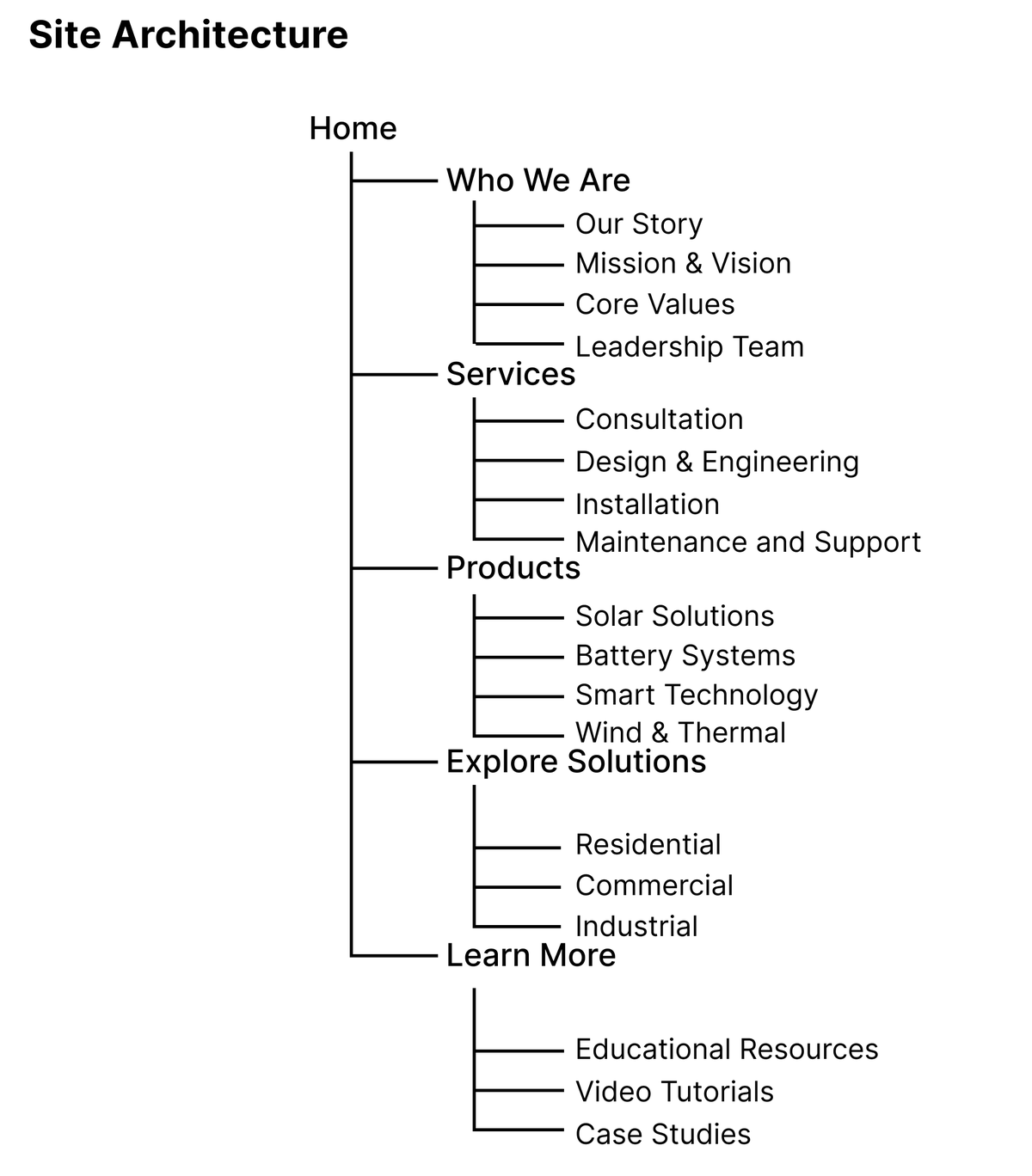
I mapped the site before any screens: five sections under Home, planned in a conceptual brief alongside the rules.
Rules were the easy part. The first real test was the brand: what does a clean-tech logo look like when it has to work at 24 pixels, in every mode?
03 · The identity
What does a clean-tech brand look like at 24 pixels? Still recognizable.
Water-drop leaves growing from one stem, with a pixel trail dissolving off the edge: nature and technology in one mark, built on a circle grid.
- 148Full mark and wordmark
- 72Wordmark tucks under the mark
- 48Wordmark drops, pixel trail stays
- 24One leaf-drop. Works as a favicon, in black or white, in every mode.
- AaCaption · 12
- AaBody · 16
- AaBase · 18
- AaSubhead · 22
- AaH3 · 24
- AaH2 · 32
- AaH1 · 40
One typeface, Inter, in seven sizes. I chose it for its tall x-height and open shapes, which stay readable at small sizes.
Once the logo could adapt, the harder problem was everything else: how do you make six versions of every page without designing six websites?
04 · The system
How do you build six versions without six websites? Swap colors and type, not layouts.
Every page is built from the same atoms, molecules and organisms. A mode only changes their colors, type and motion.
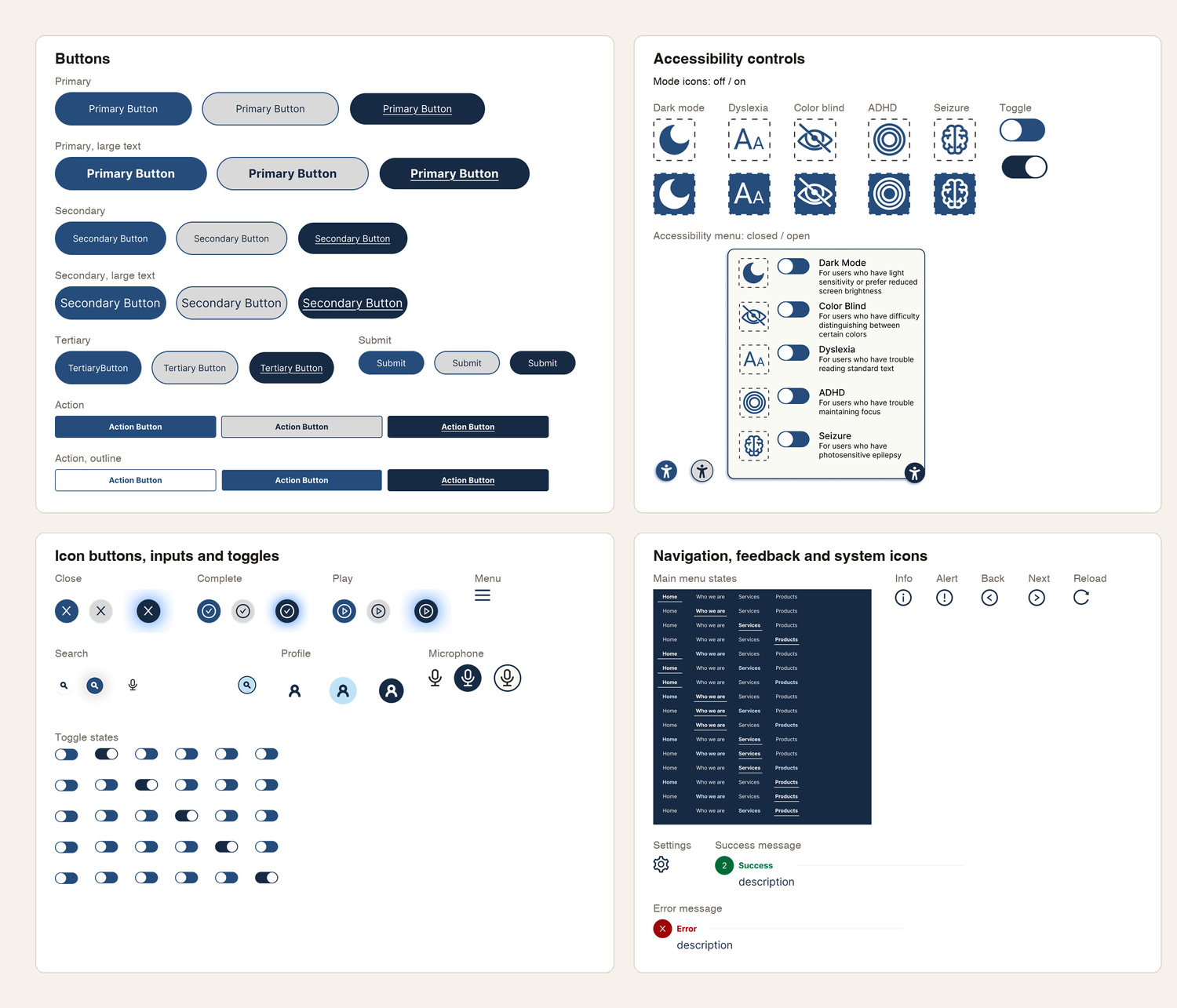
Every atom, each shown in its states.
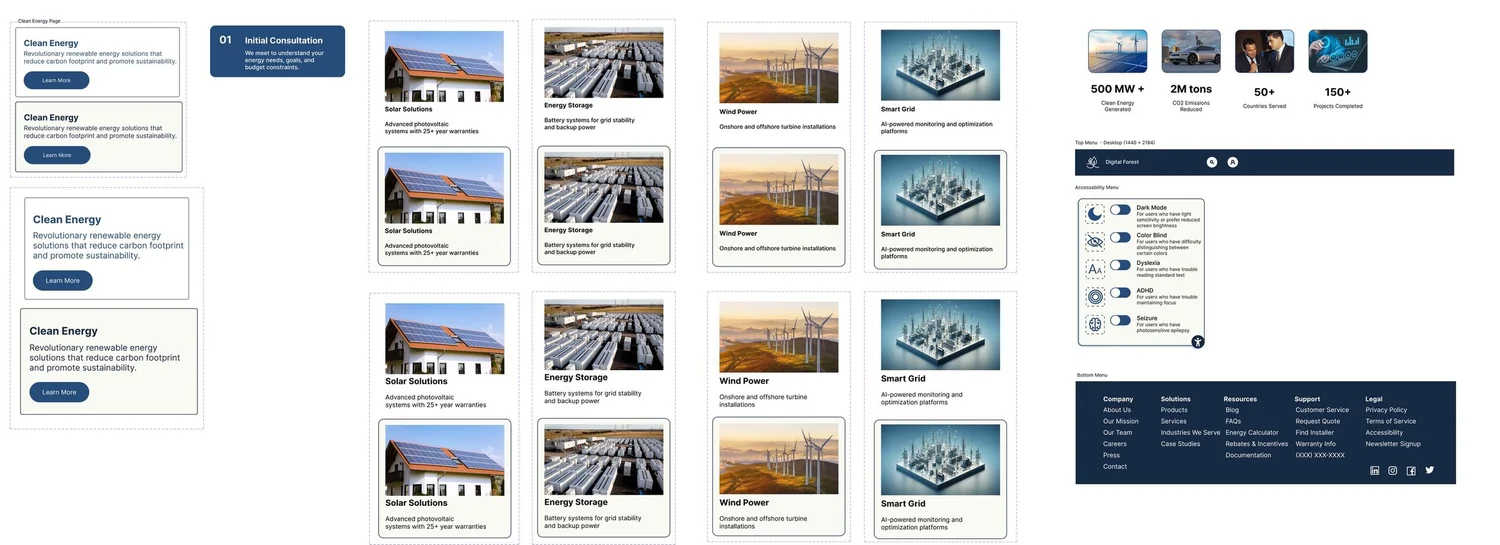
The molecule sheet.

Every page section, assembled from molecules.
- A small set of shared stylesMost of each mode was a swap, not a redesign.
- States built into componentsHover and default stayed consistent everywhere.
- Every mode built by handI duplicated components for each mode, which works, but means six sets to keep in sync.
- Type and layout weren’t separatedBigger Dyslexia text grew the page ~460px and forced manual reflow.
- The rules and the build driftedThe brief said 1.5 line height. My type styles shipped at 1.2.
Next time: Figma variables. One set of components with a value for each mode, so switching a mode updates everything at once.
A system that can switch modes still needs a way for people to switch it. How does a visitor tell the site what they need?
05 · The key piece
How does a visitor tell the site what they need? One button, five plain-language toggles.
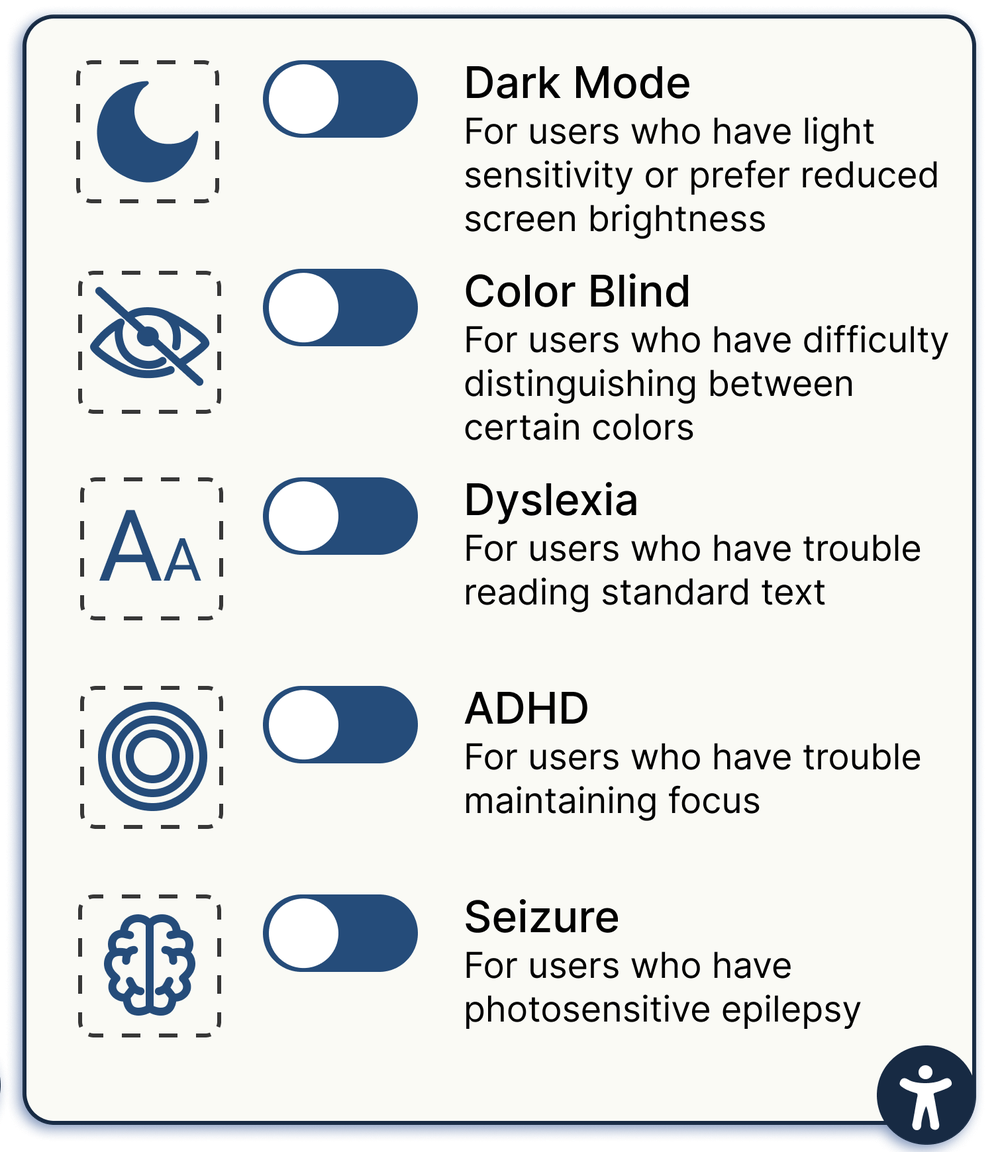
The menu molecule from my Figma file.
Each toggle says who it’s for, so nobody needs to know the terminology.
- Dark ModeLight sensitivity, or prefer a dimmer screen
- Color BlindTrouble telling certain colors apart
- DyslexiaTrouble reading standard text
- ADHDTrouble maintaining focus
- SeizurePhotosensitive epilepsy
Each toggle swaps the same components into a different mode. So what actually changes when you flip one?
06 · The modes
What changes in each mode? Only what that need requires.
Content and layout stay put. Pick a mode to see what changes.
For: Everyone
Default
Navy chrome, the green-to-navy brand gradient, Inter type.
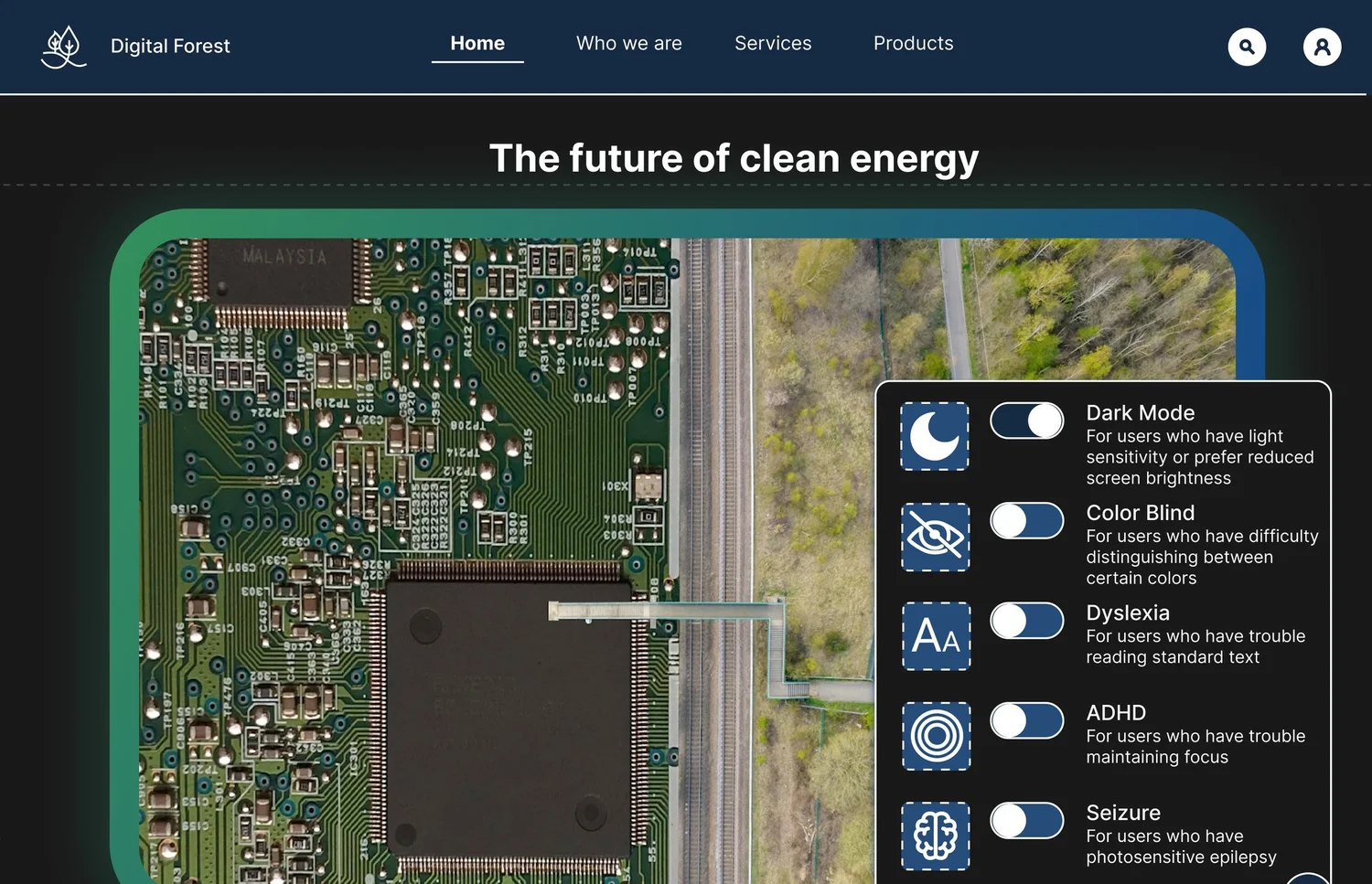
For: Light sensitivity
Dark Mode
Near-black background, white text, light-blue buttons, outlines instead of shadows.
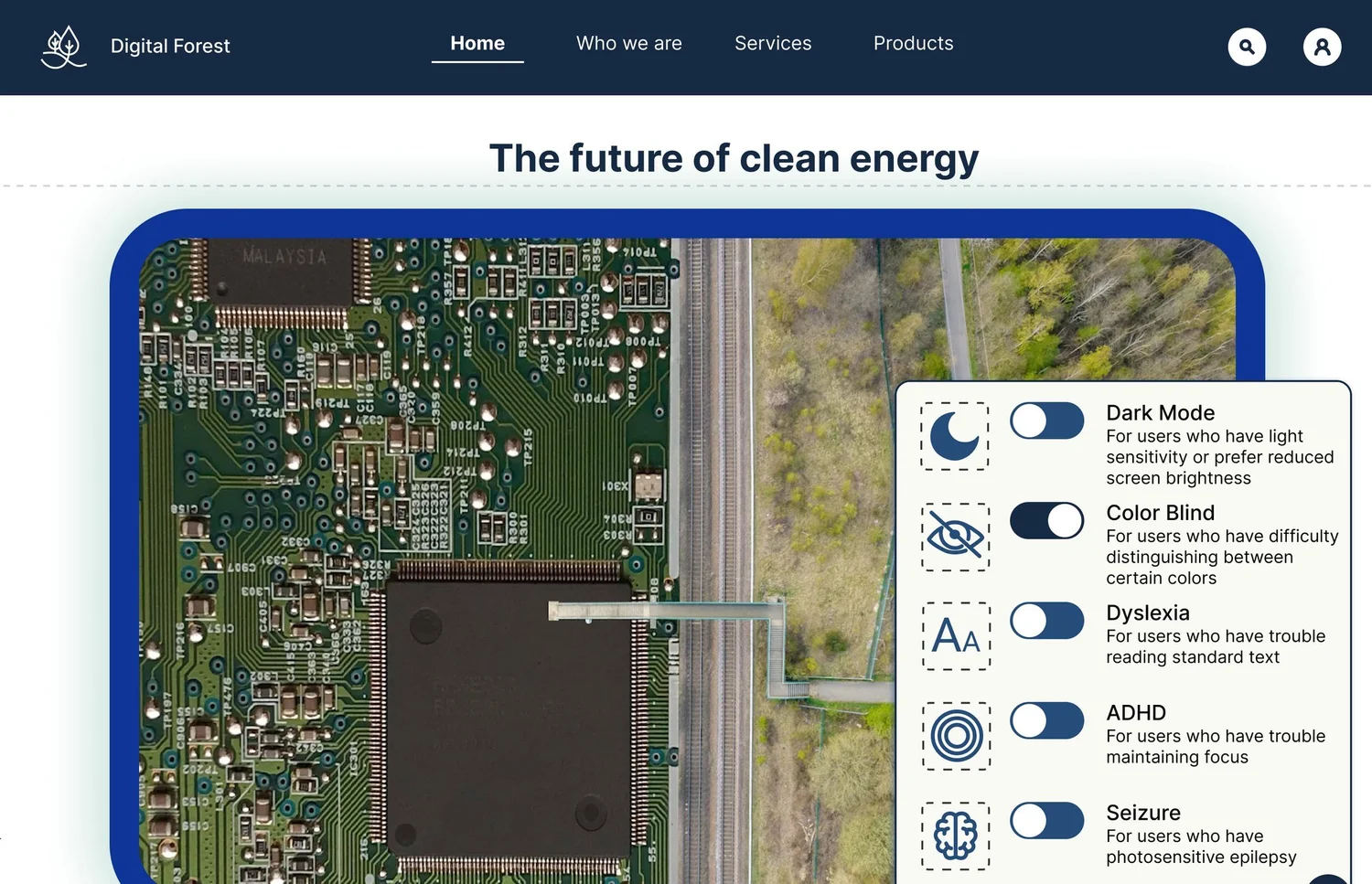
For: Color vision deficiency
Color Blind
The green-to-navy gradient becomes all blue, so nothing depends on telling green from blue.
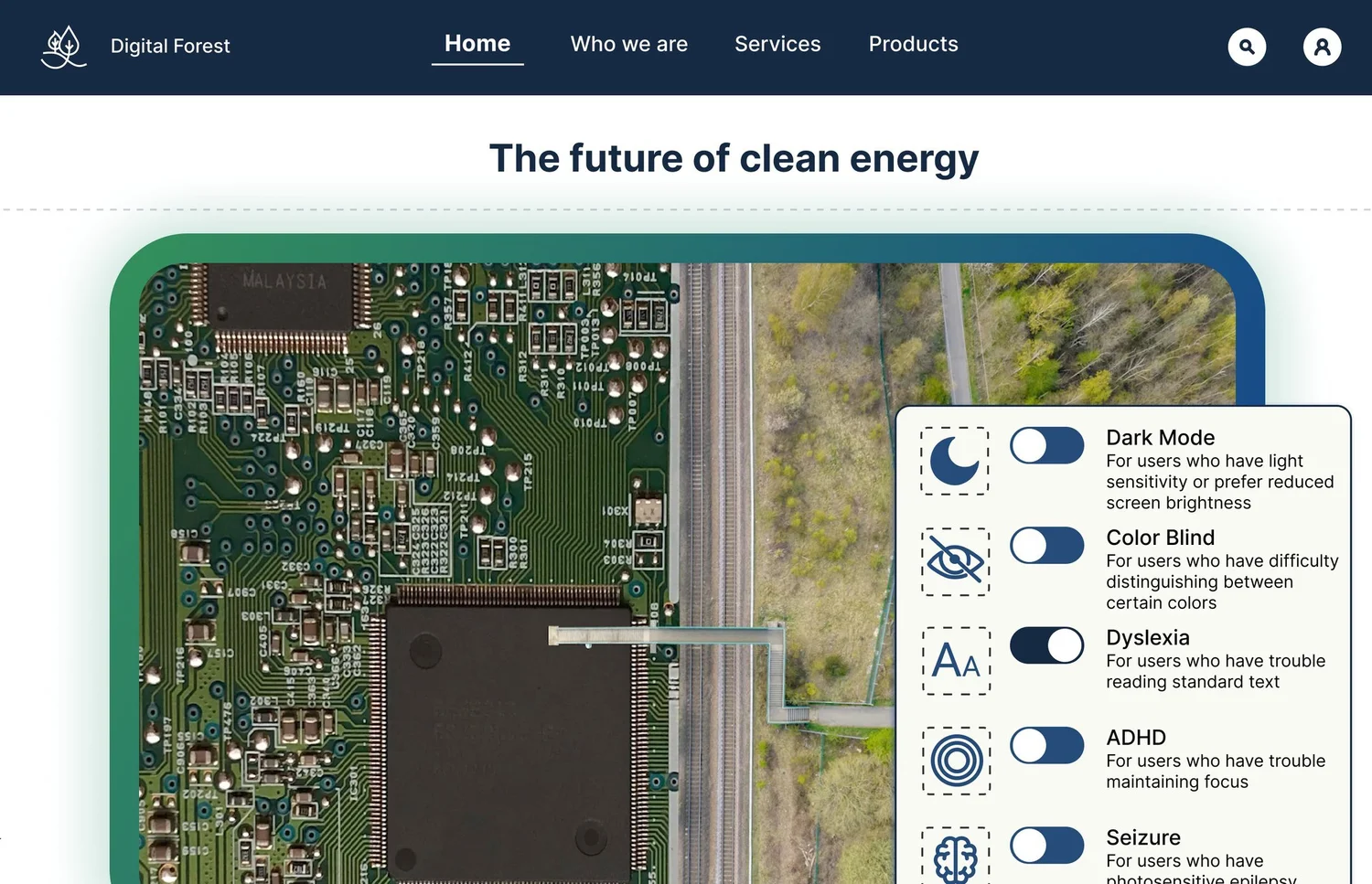
For: Reading difficulty
Dyslexia
Larger type and more line spacing throughout.
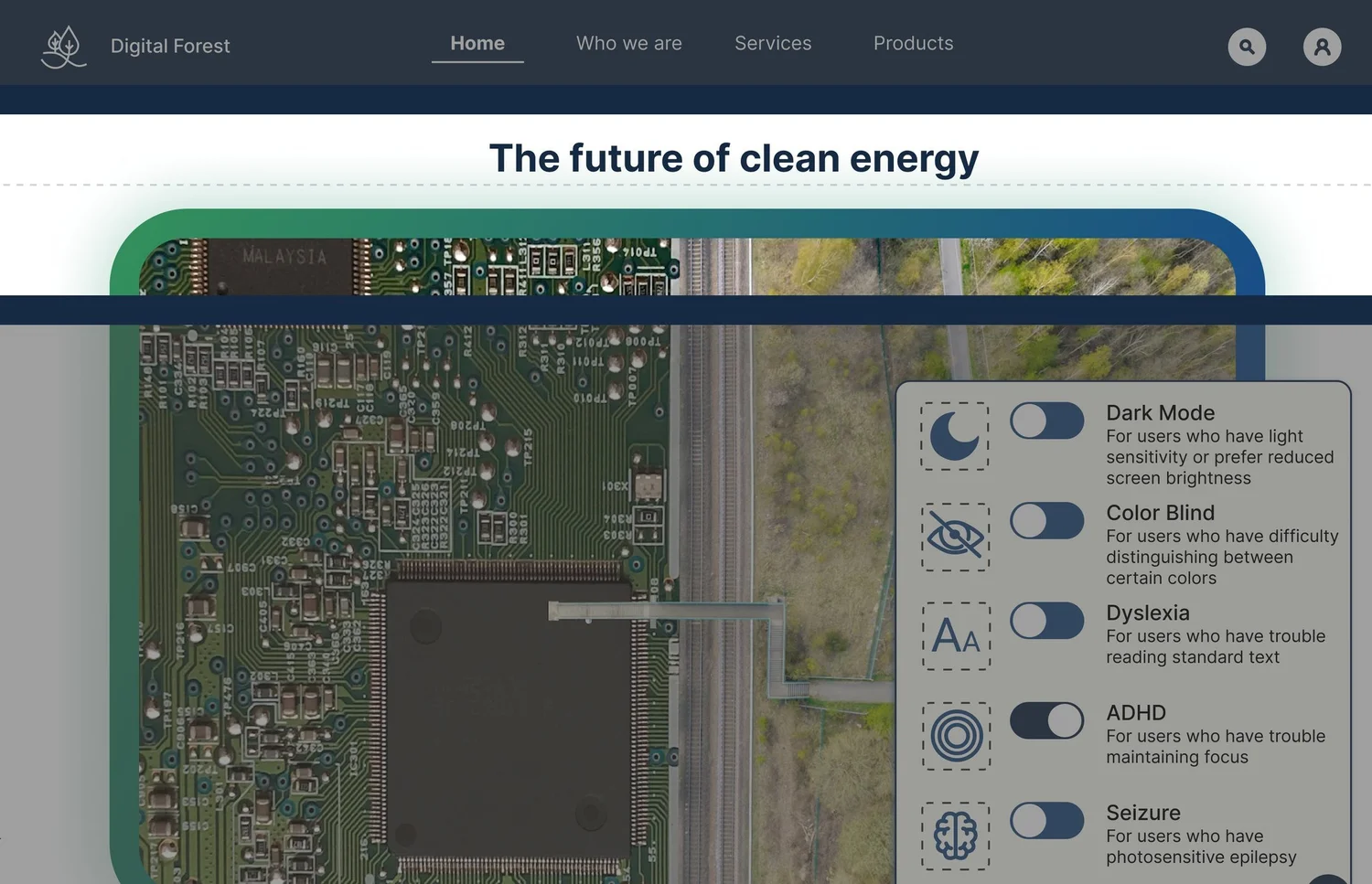
For: Focus
ADHD
Everything dims except a reading strip, one band of content at a time.
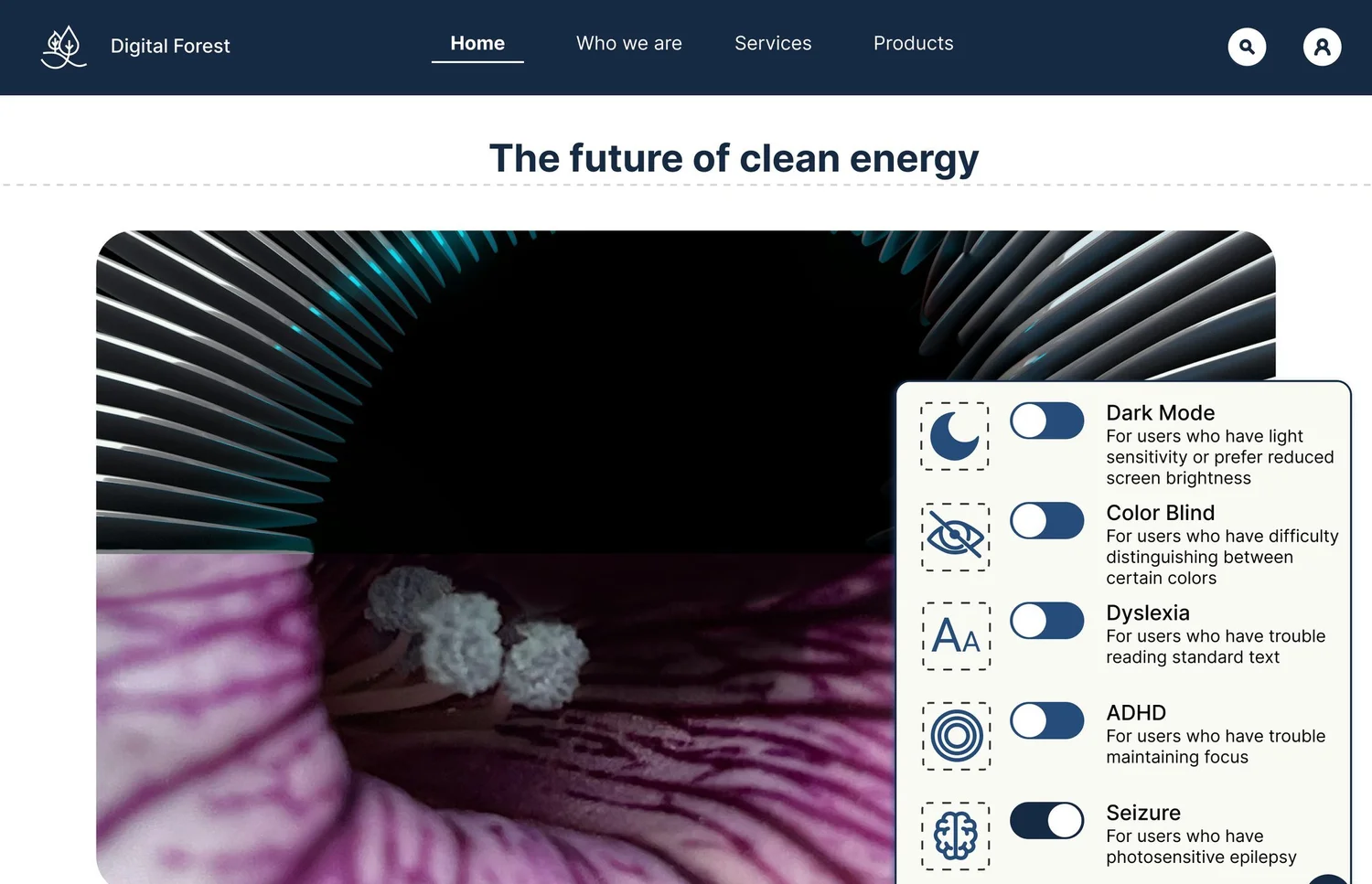
For: Photosensitive epilepsy
Seizure
The animated hero becomes a still, gradients flatten to navy, nothing moves or flashes.
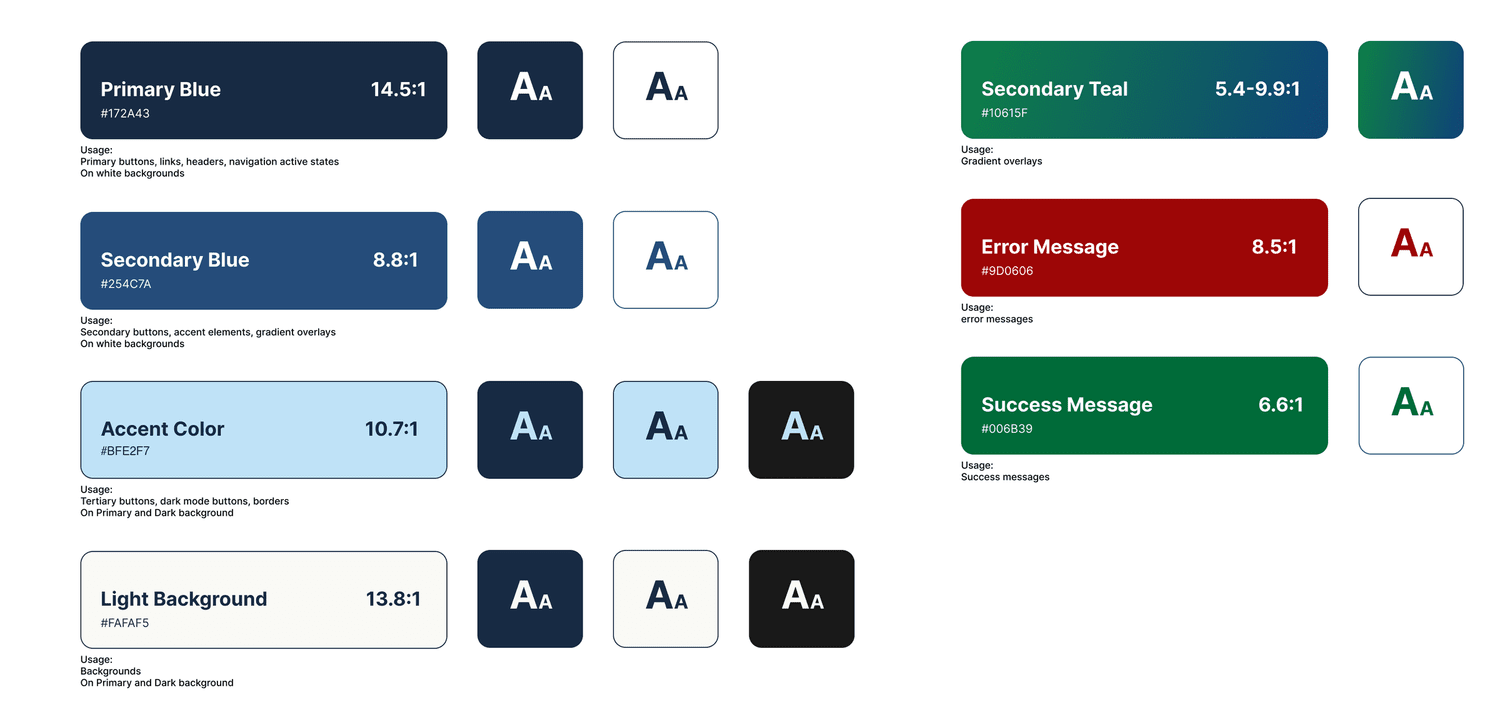
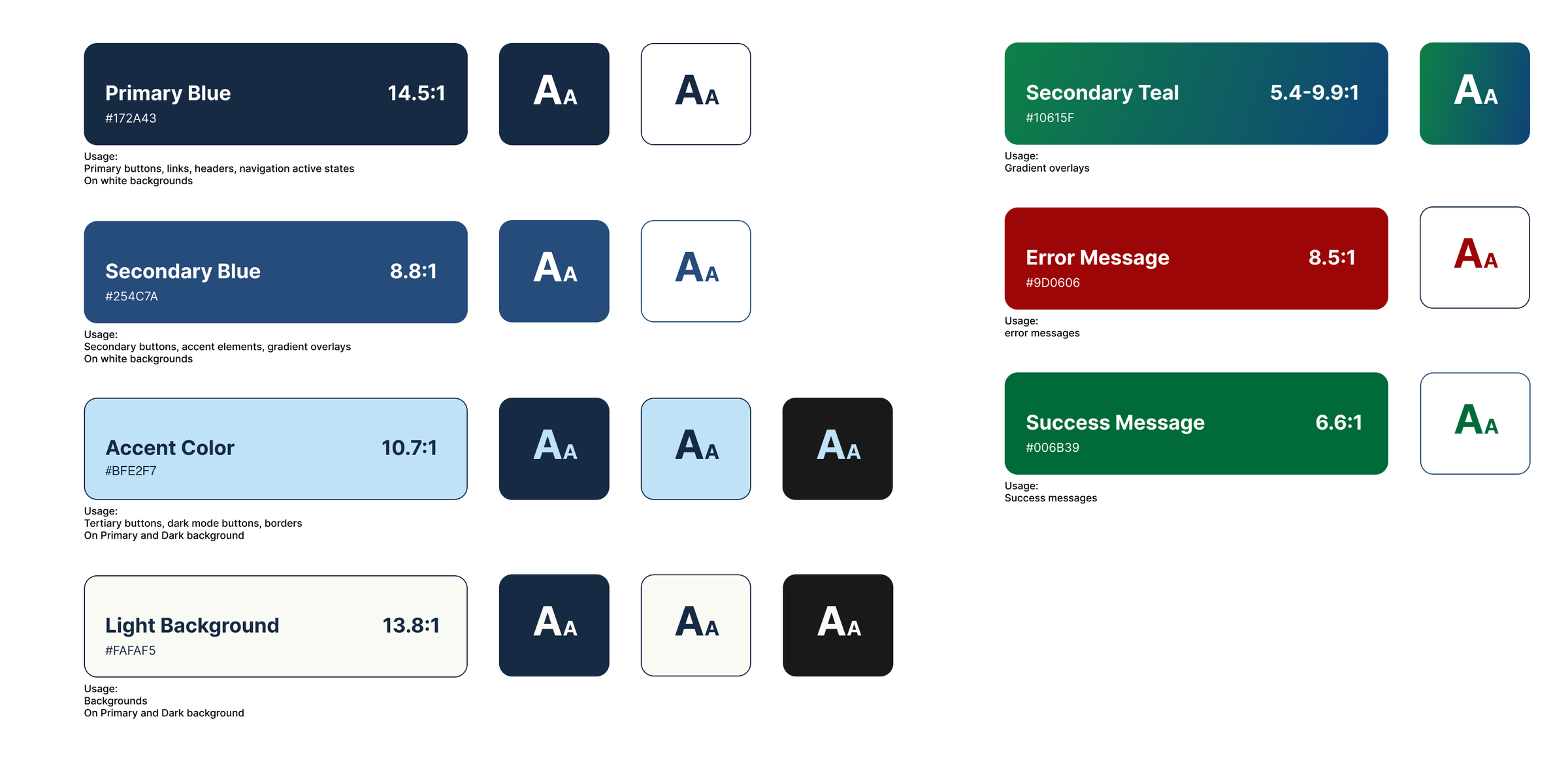
My color styles from Figma, each with its contrast ratio. Every pairing passes WCAG AA (4.5:1). All but success green and the light end of the teal gradient clear AAA (7:1).
On paper, every color passed. But a Figma file can only show a menu. Would it actually work on a real page?
07 · Beyond the class
Could it actually work? I built it to find out.
After the semester I used Claude to turn my Figma file into a working, clickable site, then checked every page against my design.
Hero motion graphic made with Vale and Myriad.
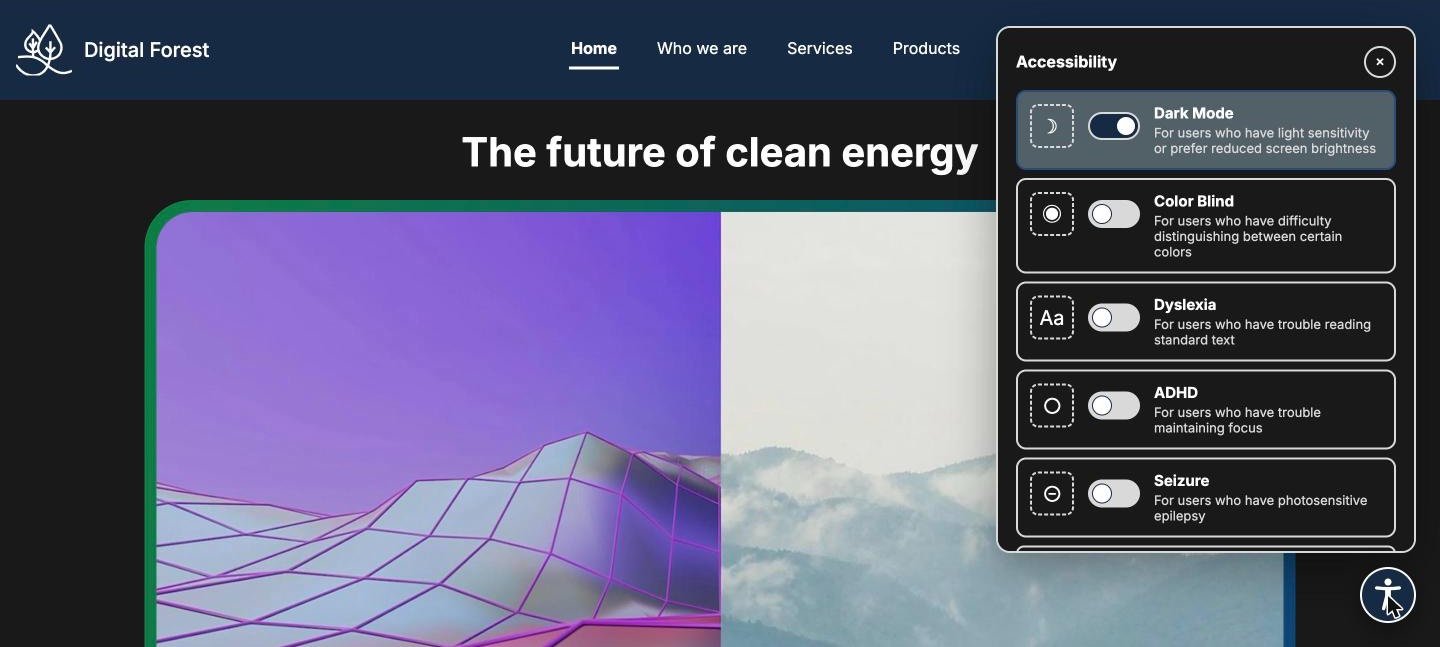
Opens in Dark Mode when your device is set to dark.
Reading
- Line height 1.2, though my brief said 1.51.5 everywhere
- Secondary gray at 6.0:1 (AA)#4A4A4A at 8.9:1 (AAA)
- Dyslexia mode: bigger InterBigger type in Lexend, a wider-spaced face
Getting around
- Menu button lives in the hero, gone once you scrollPinned to the corner on every page
- No keyboard plan for the menuTab reaches it, Escape closes it
- Long stacks of full-width product cardsCard grids with working filter tabs
Adapting
- Mode resets on every pageYour choice is remembered
- Ignores device settingsStarts in Dark Mode or pauses motion when your device asks
- Desktop only, static ADHD stripResponsive to phone width; the strip follows your pointer or scroll
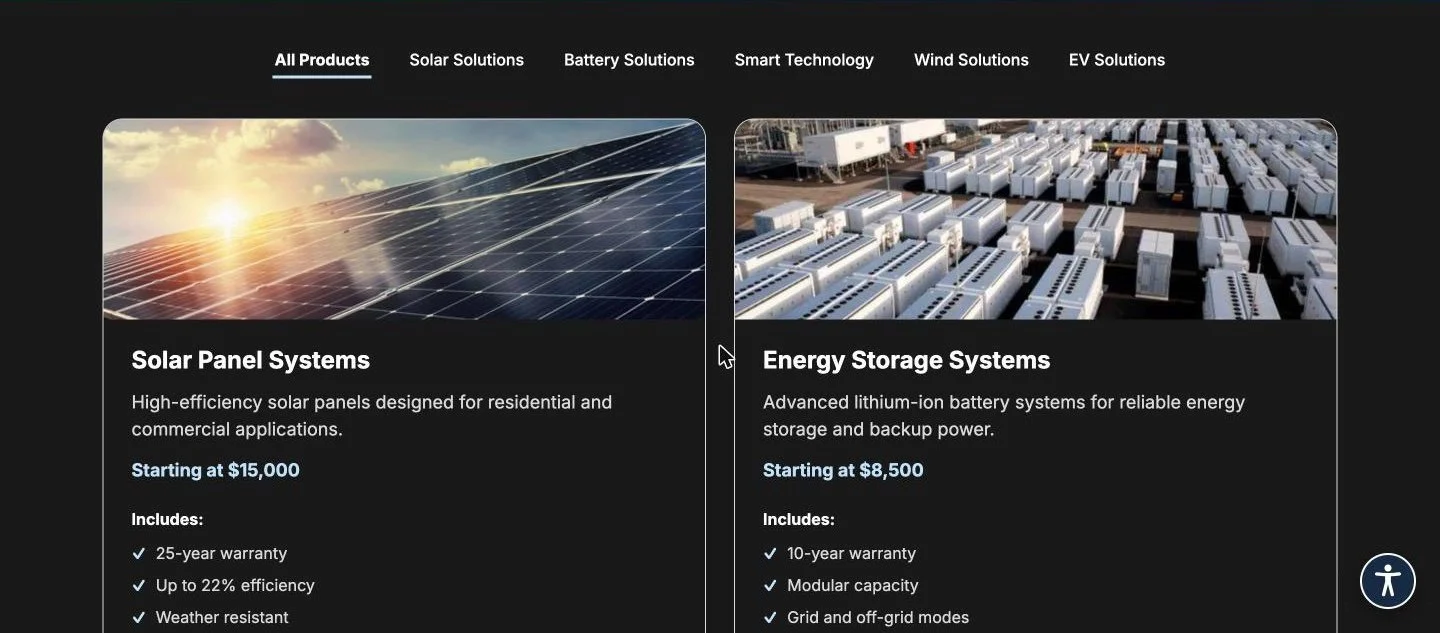
Using the live pages showed me how long the product stacks felt, so they became a grid.
Seen only in the live build
How the ADHD reading strip feels while you scroll, and how long a page really is, are things a static Figma frame can't show.
The build proved the menu works. It couldn’t prove the modes work for the people they’re for, so what would I do differently?
08 · Reflection
So what would I do differently? Test it with the people it’s for.